
Unitree B2 Charging Station: How Self-Charging Enables 24/7 Robot Patrols
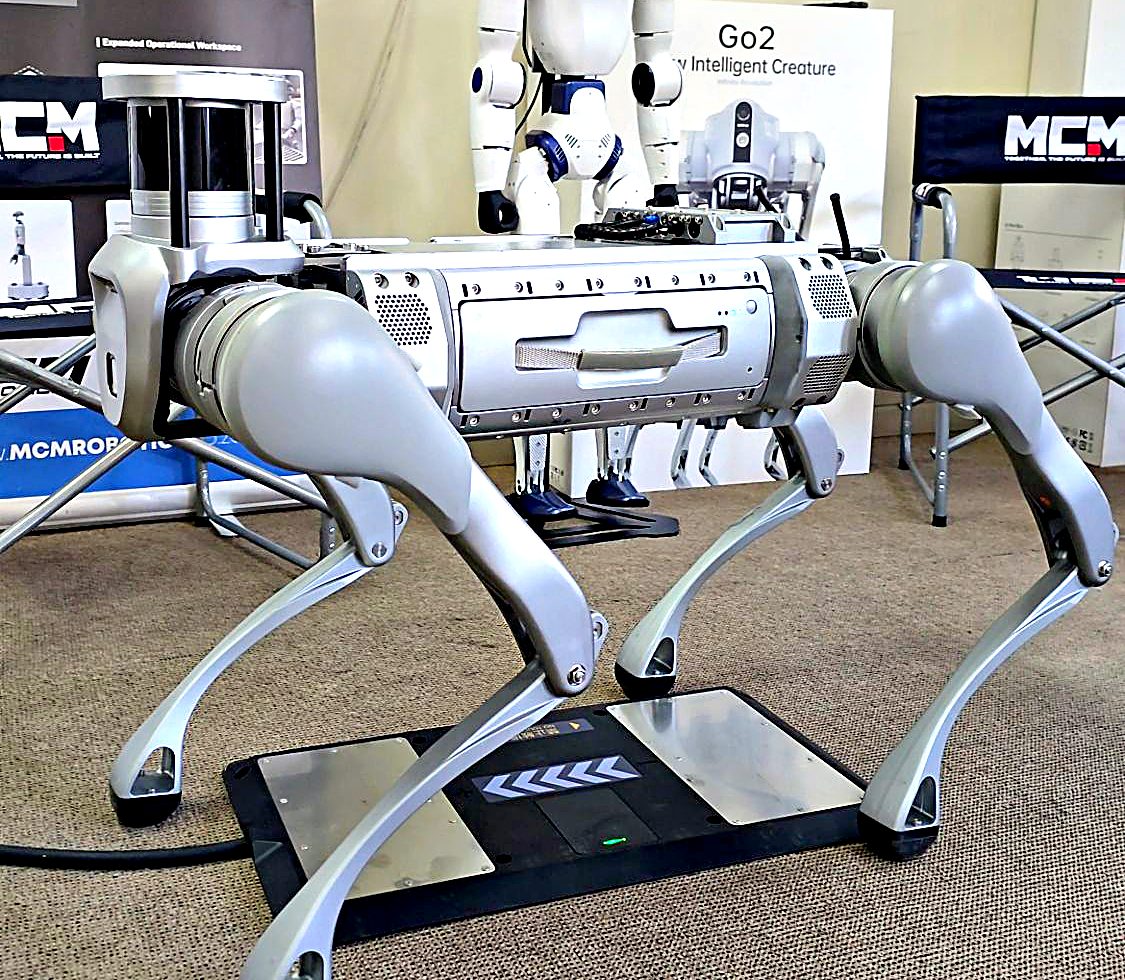
A robot that patrols for five hours is useful. A robot that walks back to its dock, charges itself and heads out again is a different tool altogether. In our Midrand showroom we put the Unitree B2 industrial quadruped and its contact charging station through their paces. This field note explains how the B2 charging station works, what it takes to run a robot around the clock, and where it fits in South African mining, security and industrial sites.
Watch: the Unitree B2 charging station in action
Here is the short demonstration we filmed at MCM Robotics. The B2 walks onto the charging station, lines up over the plate and lowers its body until the charging contacts under its belly meet the plate.
Unitree B2 charging station demonstration, filmed at MCM Robotics in Midrand.
What is the Unitree B2 charging station?
The B2 charging station (Unitree calls the part the B2 Contact Charger Board) is a low, flat docking plate that plugs into mains power. It is built for the Unitree B2, the wheeled B2-W and the B2-XJ.
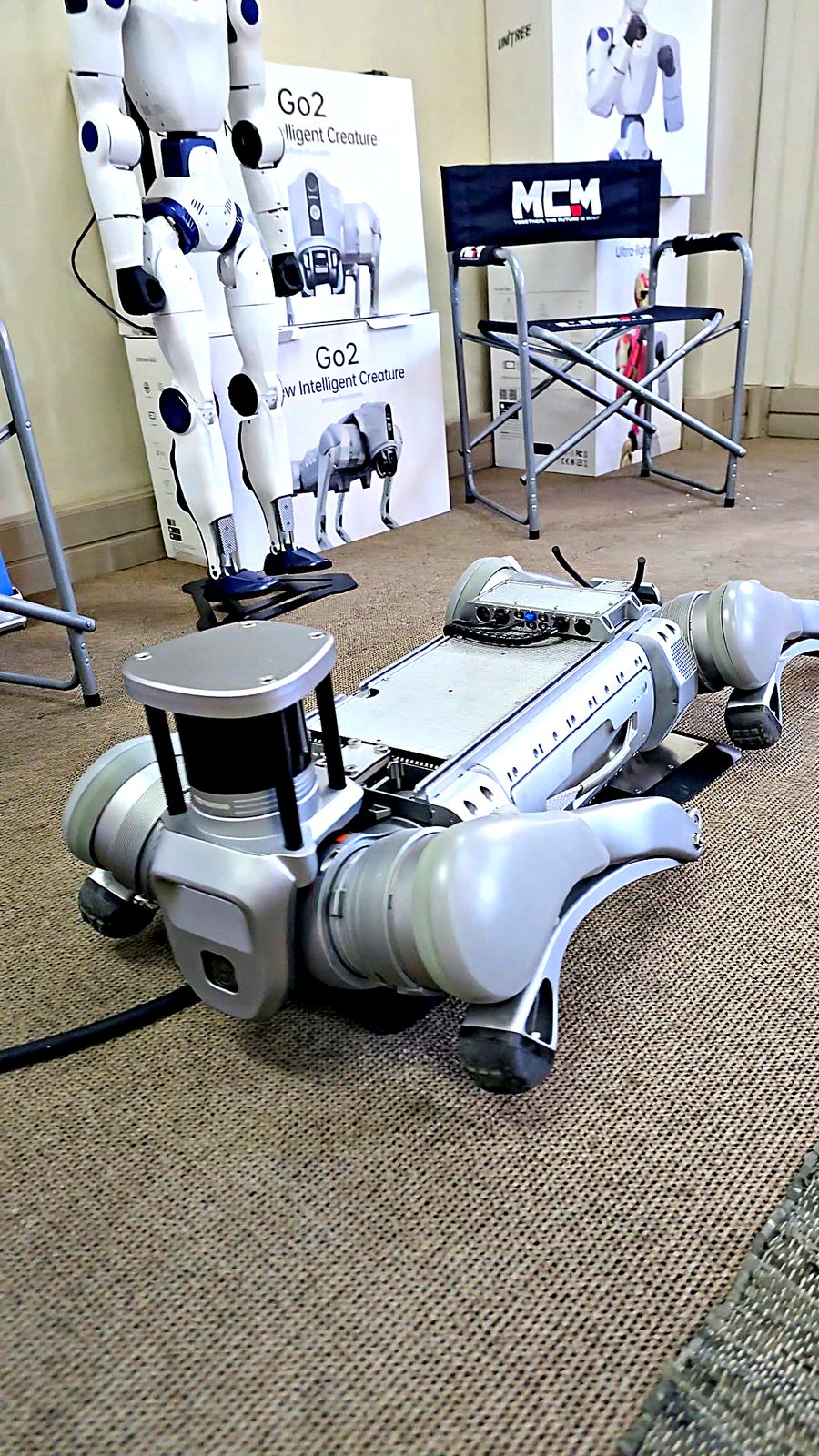
The B2 has charging electrodes on its abdomen. When the robot stands over the plate and lies down, those electrodes press onto the plate's metal contact pads and charging starts. There is no cable to plug in, no battery to swap and no person to bend down next to a 60 kg robot. A green status light on the plate shows when it is powered.
This kind of contact charging is the standard for serious field robots, because it is quick, tolerant and safe. There is no fragile connector to wear out, and no exposed pins for dust and mud to clog.
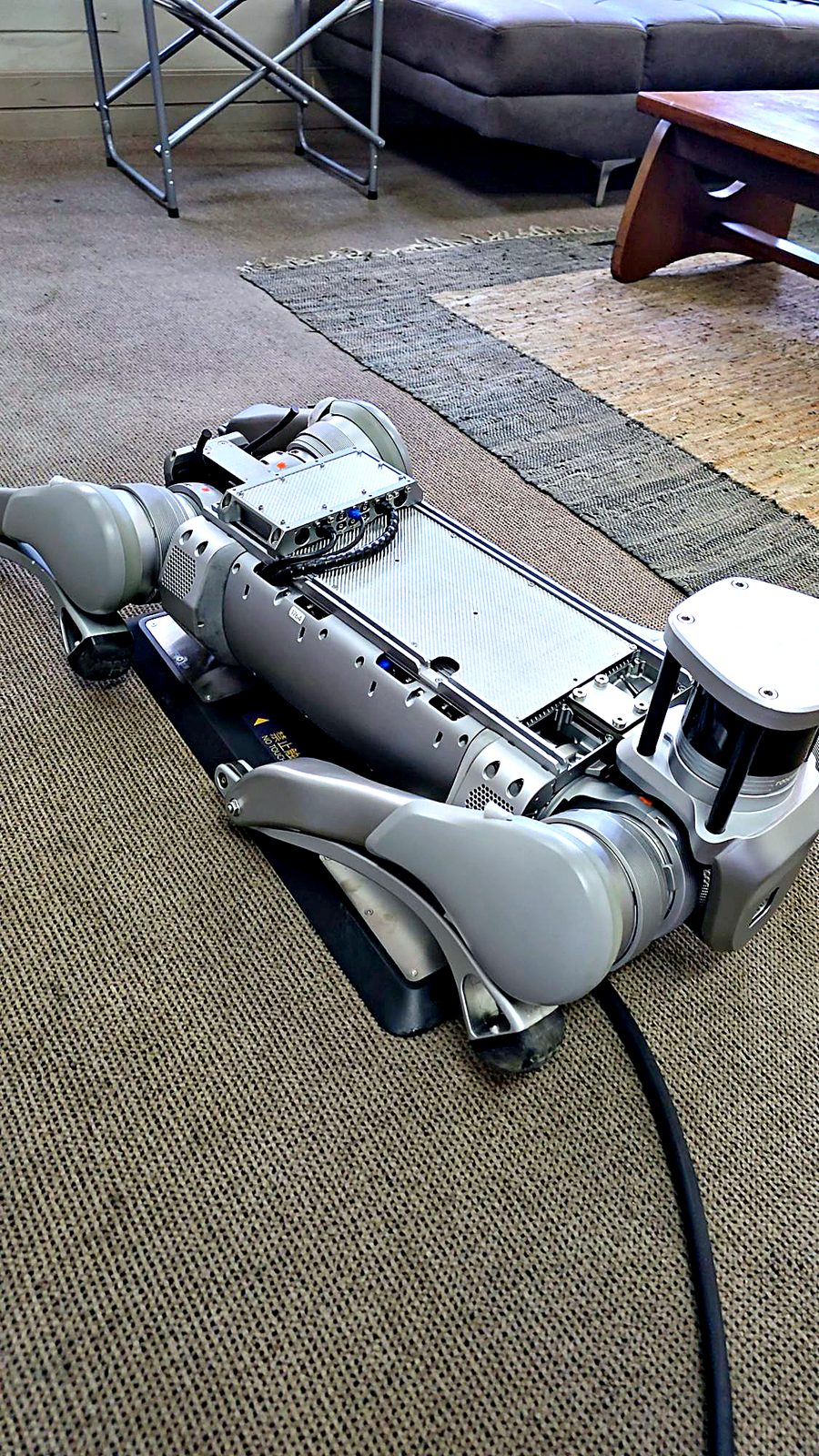
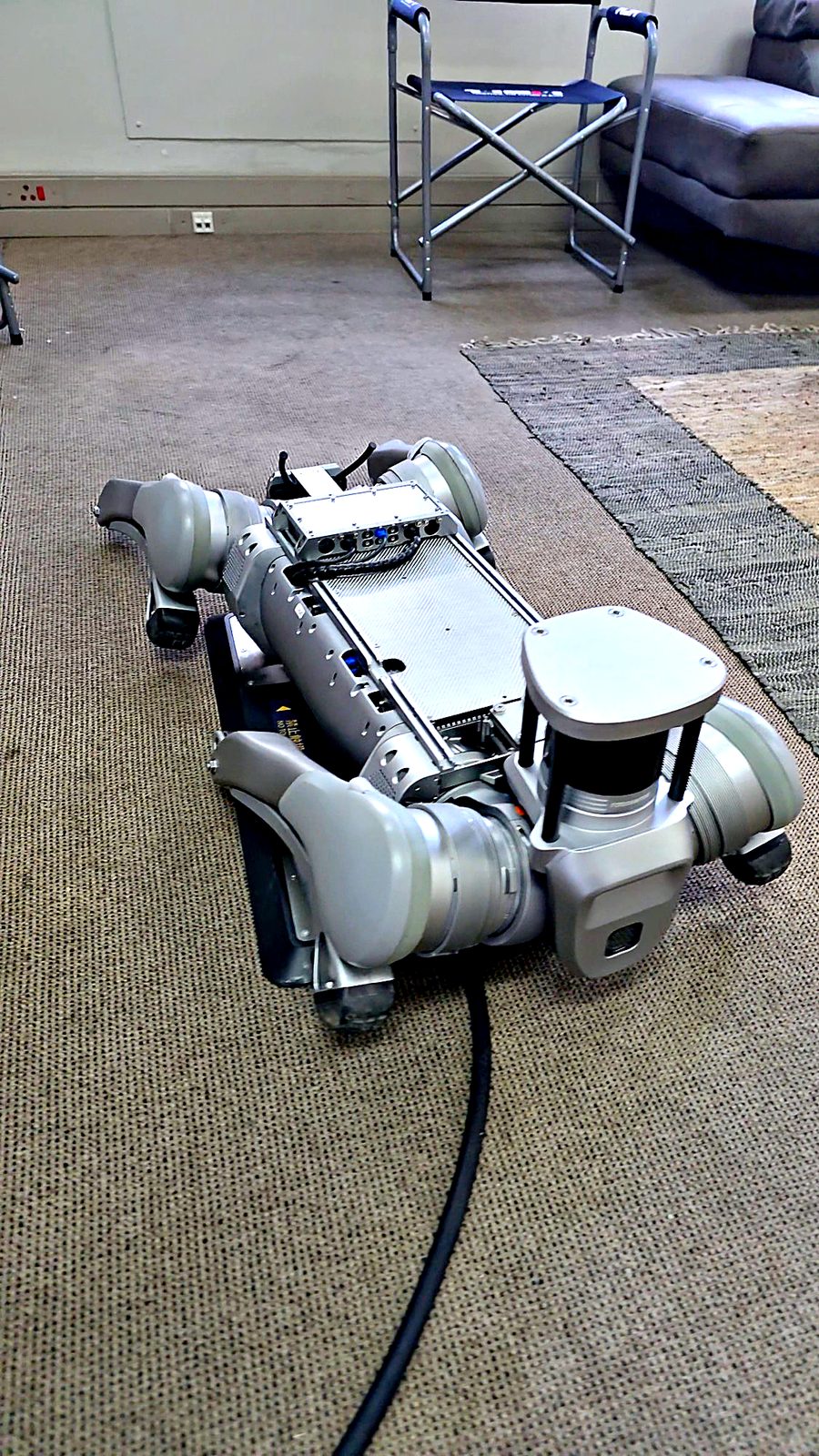
Docked: the B2 lowers its body onto the plate and its abdomen electrodes make contact.
How B2 self-charging works, step by step
- Battery check. The robot, or the patrol software running it, sees the battery drop to a set level, or reaches the end of its route.
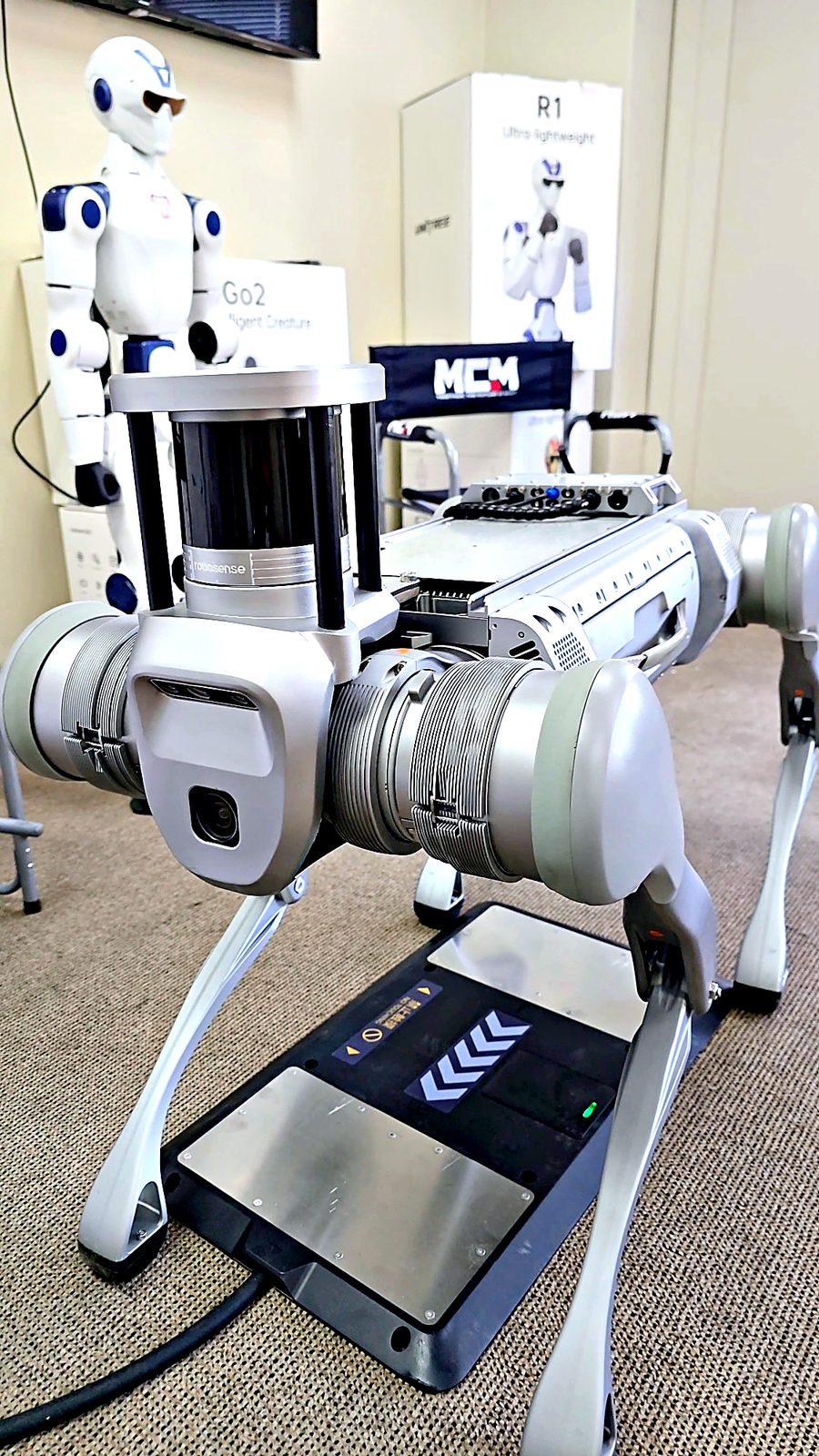
- Navigate home. Using its map and sensors, such as the optional 3D LiDAR, the B2 walks back to the known position of its station.
- Line up. The robot approaches straight on and centres itself over the plate. The chevrons on the plate show the direction of entry.
- Lie down and connect. The B2 lowers itself until its belly electrodes sit on the contact pads, and charging begins.
- Charge and go. Once the battery is full, or the next mission is due, the robot stands up and walks off to work.
An honest note on autonomy: the charging plate is the hardware half of the story. For fully hands-off docking, the B2 also needs to know where it is. In practice that means a mapped site, a navigation stack (for example our B2 LiDAR SLAM Kit), and docking set up for your environment. Without that, an operator drives the robot onto the station with the remote and it charges the same way. Planning and integration is exactly what our team does on every B2 project.
Why a charging station matters: from five hours to 24/7
On a single battery the B2 is already impressive. It covers more than 20 km or 5 hours without load, and over 4 hours carrying 20 kg. Its standard BT2-10 pack is a 45,000 mAh (2,268 Wh) battery at 50.4 V.
But a site does not close after five hours. Security never stops, and inspection rounds run on every shift. Without a dock, someone has to catch the robot, swap or plug in the battery and send it out again. With a dock, the robot works in cycles of patrol, charge and patrol, with almost no human input. That changes the business case:
- Real round-the-clock coverage. Night patrols and weekend rounds happen whether or not staff are on site.
- Lower running costs. No one has to walk out to charge the robot, and battery swaps become the exception instead of a daily routine.
- Better battery health. Regular, controlled top-ups are kinder to lithium packs than running flat and charging in a rush.
- Consistent data. Inspections run on the same route at the same time every day, giving you clean trend data on temperature, gauges and equipment condition.
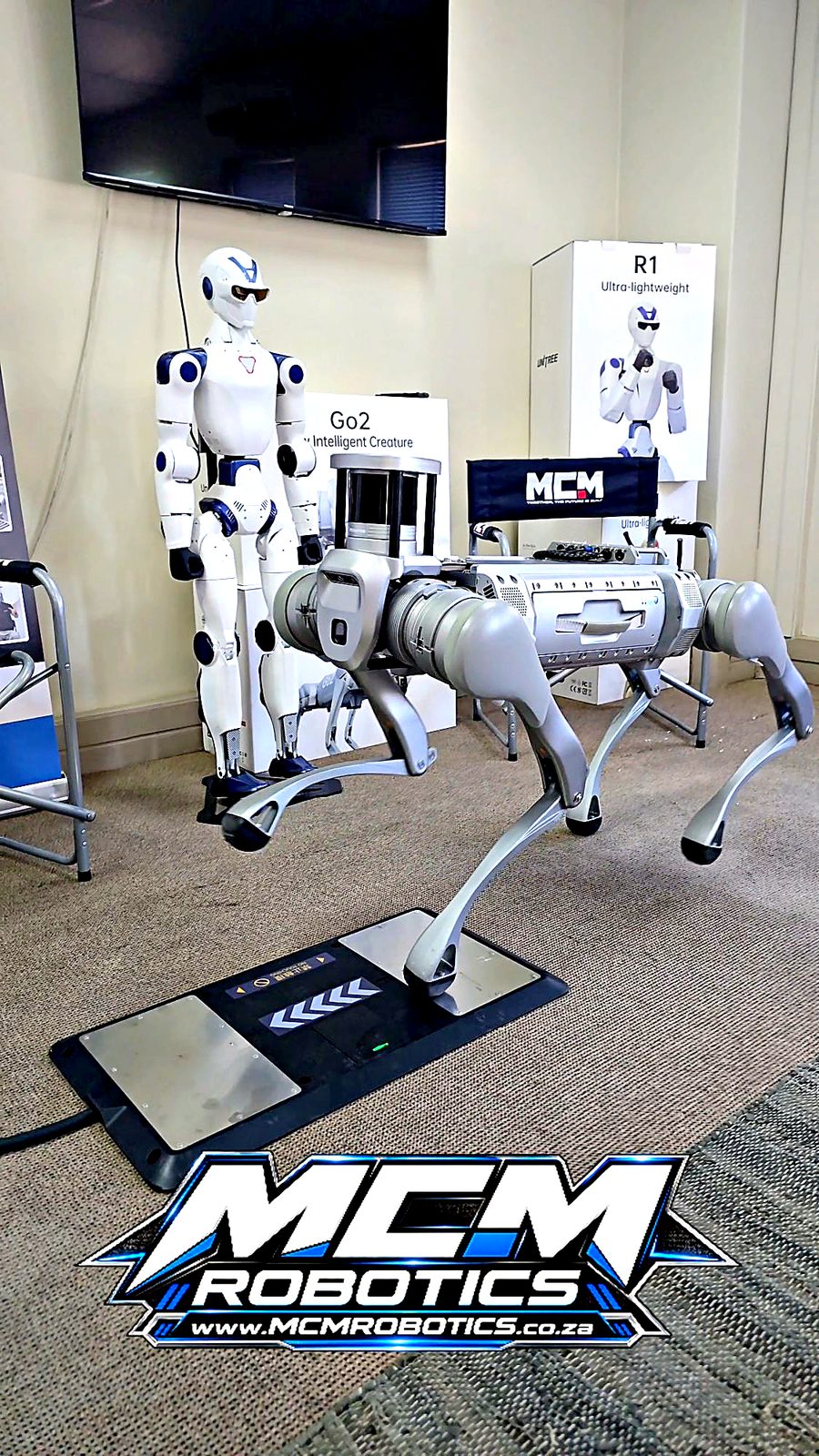
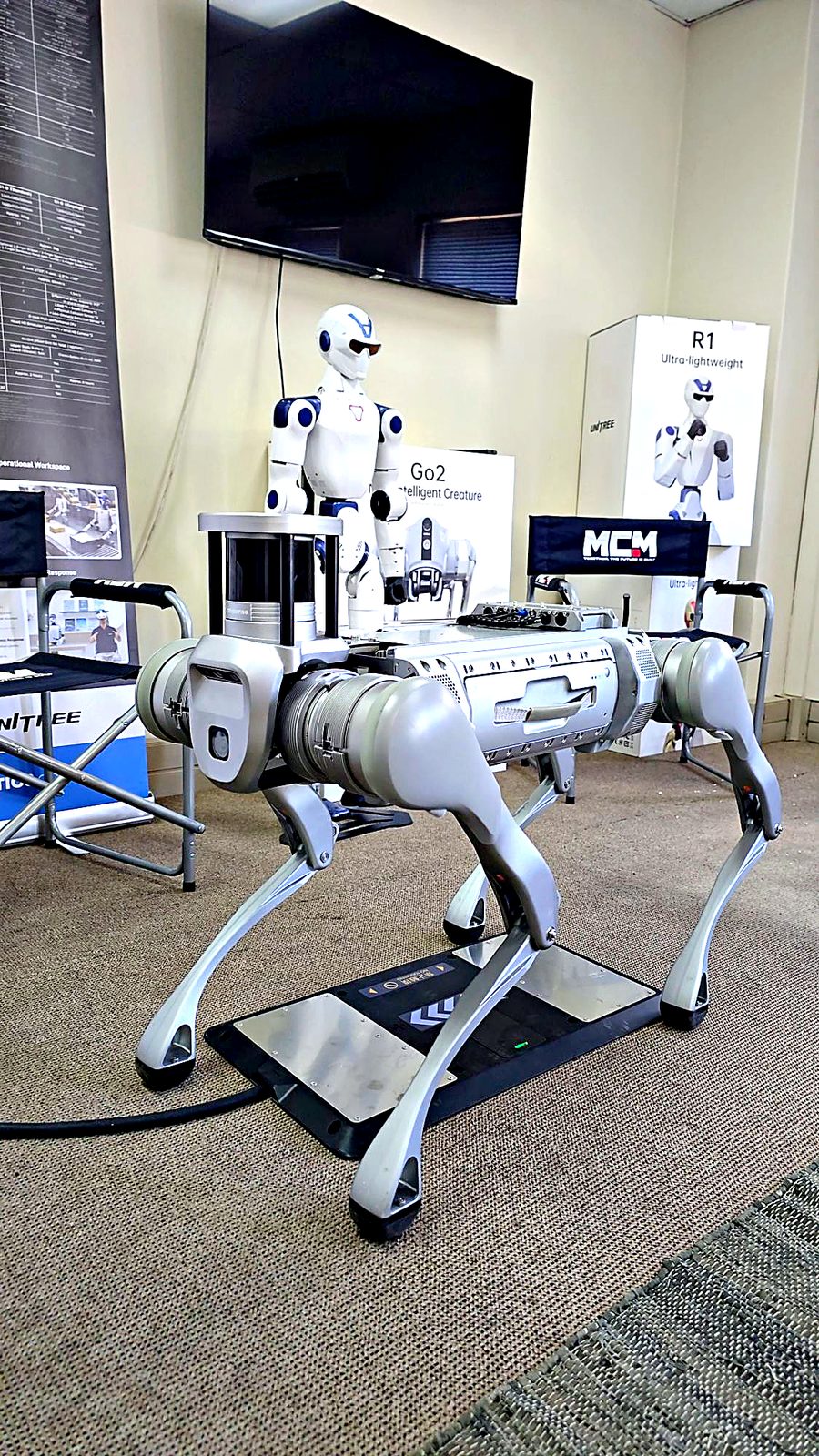
The B2 and its charging station in the MCM Robotics showroom in Midrand.
Where the B2 and its dock earn their keep in South Africa
Security patrols and site monitoring
Warehouses, solar farms, substations, estates and logistics yards all have long fences and quiet nights. A docked B2 can run scheduled perimeter patrols, stream live video to a control room and return to charge without a guard going with it. It does not replace your security team. It gives them more eyes on more ground.
Mining and underground inspection
With an IP67 rating, 40 cm step climbing and a 40 kg payload, the B2 is built for conveyor galleries, plant rooms and tunnels. It can carry thermal cameras, gas sensors and inspection payloads. A dock at a safe point lets it repeat inspections in places where you would rather not send people. Read more in our field note on robotics in South African mining.
Industrial facility inspection
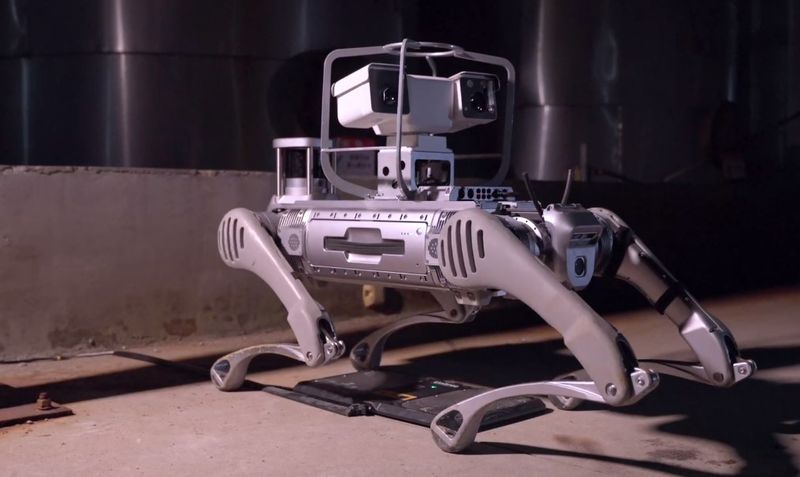
Power stations, petrochemical plants and factories run on routine rounds: reading gauges, checking for leaks and listening for unusual sounds. The B2 can carry those sensors on the same route every shift and dock between rounds.
Emergency response and hazardous areas
After a fire, a spill or a structural incident, a B2 can go in first to assess the area remotely. Kept on its dock, it is charged and ready the moment it is needed.
Unitree B2 at a glance
| Class | Industrial quadruped robot |
| Weight | About 60 kg with battery |
| Payload | 40 kg while walking continuously |
| Top speed | 5 m/s |
| Step climbing | 40 cm |
| Endurance | More than 20 km / 5 h unloaded; more than 15 km / 4 h with 20 kg |
| Battery | BT2-10: 45,000 mAh, 2,268 Wh, 50.4 V |
| Charging | Abdomen charging electrodes, for use with the B2 Contact Charger Board, or the mains B2 Charger |
| Protection | IP67 |
| Perception | Multiple depth and HD cameras; optional 3D LiDAR |
Comparing quadrupeds? See our Unitree Go2 vs B2 comparison and the complete guide to buying a quadruped robot in South Africa.
Building a complete B2 system
A B2 that works around the clock is more than a robot. A typical MCM Robotics deployment is built from these parts, all available locally:
- Unitree B2, B2-W (wheeled), B2-XF or B2-XJ: the platform that suits your terrain.
- B2 Contact Charger Board: the docking and charging station.
- B2 LiDAR SLAM Kit: mapping and navigation for autonomous routes and returning to the dock.
- B2 compute options (Intel Core i7 or Nvidia Jetson Orin / AGX): on-board processing for your own AI and inspection software.
- Spare B2 batteries and the B2 mains charger: for back-up and peak demand.
Browse every B2 add-on on the accessories page, or configure your robot on the B2 product page.
Why buy your B2 from MCM Robotics?
- Official Unitree partner in South Africa, and winner of Unitree's New Market Pioneer Award 2026.
- See it before you buy. The B2 and its charging station are in our Midrand showroom, ready for a live demonstration.
- Local support, parts and warranty. We are backed by the MCM Group's national branch network, with spares such as batteries, chargers and foot ends available through us.
- Integration, not just a box. We help you map the site, place the dock, set up patrol routes and connect payloads to your systems.
- Training for your operators, and maintenance guidance to keep the robot in service for years.
Book a B2 demonstration
Want a robot that patrols, inspects and charges itself?
Tell us about your site and what you need to monitor. We will show you the B2 and its charging station working, and put together a proposal that fits your operation.
Frequently asked questions
Can the Unitree B2 charge itself?
Yes. With the B2 Contact Charger Board the robot charges through electrodes on its abdomen when it lies down on the plate. For fully autonomous return-to-dock, the B2 also needs navigation (for example LiDAR SLAM) and docking set up for your site. MCM Robotics handles that integration.
How long does the Unitree B2 battery last?
More than 5 hours or 20 km without load, and more than 4 hours or 15 km while carrying 20 kg, on the standard 45,000 mAh BT2-10 battery.
Does the B2 charging station work with the B2-W and B2-XJ?
Yes. The B2 Contact Charger Board fits the B2, the wheeled B2-W and the B2-XJ.
Do I need the charging station, or can I use the normal charger?
The mains B2 Charger charges the battery pack and is all you need for supervised, shift-based use. The charging station is for deployments where the robot should top up between missions without anyone handling it, such as overnight security patrols or scheduled inspection rounds.
Where can I see the Unitree B2 in South Africa?
At MCM Robotics in Midrand. Contact us to book a live demonstration of the B2 and its charging station.